SEO

Google organic traffic drop: how to find the cause
To diagnose a fall in organic Google traffic, compare clicks and impressions over relevant periods, identify the affected pages and queries, and check demand, site changes and technical reports. A decline that coincides with an algorithm update is a reason to investigate, not proof of its cause.
If fewer people are reaching your site from Google, first establish what has changed: impressions, clicks or the performance of particular pages. Then check demand for the affected queries, recent site changes and technical reports. The decline alone cannot tell you whether the cause is seasonality, an indexing issue, a change in Search or something else.
Use the steps below to check Google Search Console and decide what to investigate before rewriting pages or changing your site structure.
Find out when and where the decline began
Open the Performance report for Google Search results in Search Console. Select clicks and compare the period when the decline began with one that answers your question. Comparing it with the previous period can reveal a recent change; the same period last year can help you check for seasonal patterns. If you have enough data, review up to 16 months to look for recurring changes. Google recommends using this wider context where relevant, but the right period depends on your site and what you are investigating.
Next, check the Pages and Queries tables. Comparing clicks by page shows whether the change affects the whole site, a section or a handful of URLs. Comparing queries shows which searches have lost clicks. Google’s guide to common Performance report tasks explains how to work with these views.
If it helps narrow down the issue, segment the report by search type, country or device. For example, the change might affect Google Images rather than web search. These filters show where the change occurred; they do not explain why. If the chart looks unusual, also check Google’s information on Search Console data anomalies.
Read impressions and clicks together
In Search Console, impressions show how often your pages appeared in Google Search results, while clicks show how often people clicked through to your site. The relationship between them helps you decide what to check next, but it does not establish a cause on its own.
| What changed | What to check | What the data does not prove |
|---|---|---|
| Impressions and clicks both fell | The pages and queries with the largest declines, demand for those queries, recent site changes and technical reports | That an algorithm change or technical fault must be responsible |
| Impressions stayed broadly steady, but clicks fell | CTR for affected pages and how their results appear for relevant queries | That changing the title or description alone will solve the problem |
| A section or a few URLs lost performance | Shared changes to their content, URLs, templates, crawling or indexing settings | That the same issue affects the whole site |
| The decline coincides with a seasonal period | Similar periods in previous years and interest in key queries in Google Trends | That seasonality is the only explanation |
If impressions have held steady while clicks have fallen, check the CTR and how the affected pages appear in Search. For example, the title or description may not clearly reflect the page. Other results in Search can also affect clicks. These are possibilities to investigate, not conclusions from a single chart.
Find the pages and queries losing the most clicks
In the Performance report, compare the relevant periods and sort the Pages and Queries tables by the change in clicks. Start with the URLs and queries showing the largest declines. Look for a shared feature: perhaps the affected pages use the same template, belong to one category or target searches about a particular service.
If only a few URLs are affected, note what changed on them before the decline: copy, headings, internal links, URLs, templates, redirects or crawler-access settings. If you recently changed your site structure or URLs, check that redirects and access to the new addresses work as intended. Google needs to recrawl and reindex changed URLs; this can take a few weeks, and larger sites may take longer.
If impressions have fallen for particular queries but the pages have not recently changed, check whether interest in those topics has shifted. Google recommends reviewing affected queries in Google Trends to see whether the change may extend beyond your own site. Trends shows changes in search interest; it does not provide an exact count of visits to an individual website.
Check Search Console for technical signals
A technical issue is more plausible if many pages are affected or the decline began after a release, migration or widespread template change. In Search Console, review the Page indexing report and, if available for your property, Crawl Stats. Check whether new issues relate to the affected URLs, such as server errors, not-found pages or an accidental indexing block.
If the decline is limited to a group of URLs, use URL Inspection to check several of them. Do not assume one URL represents the whole group: choose examples from different parts of it and compare their statuses.
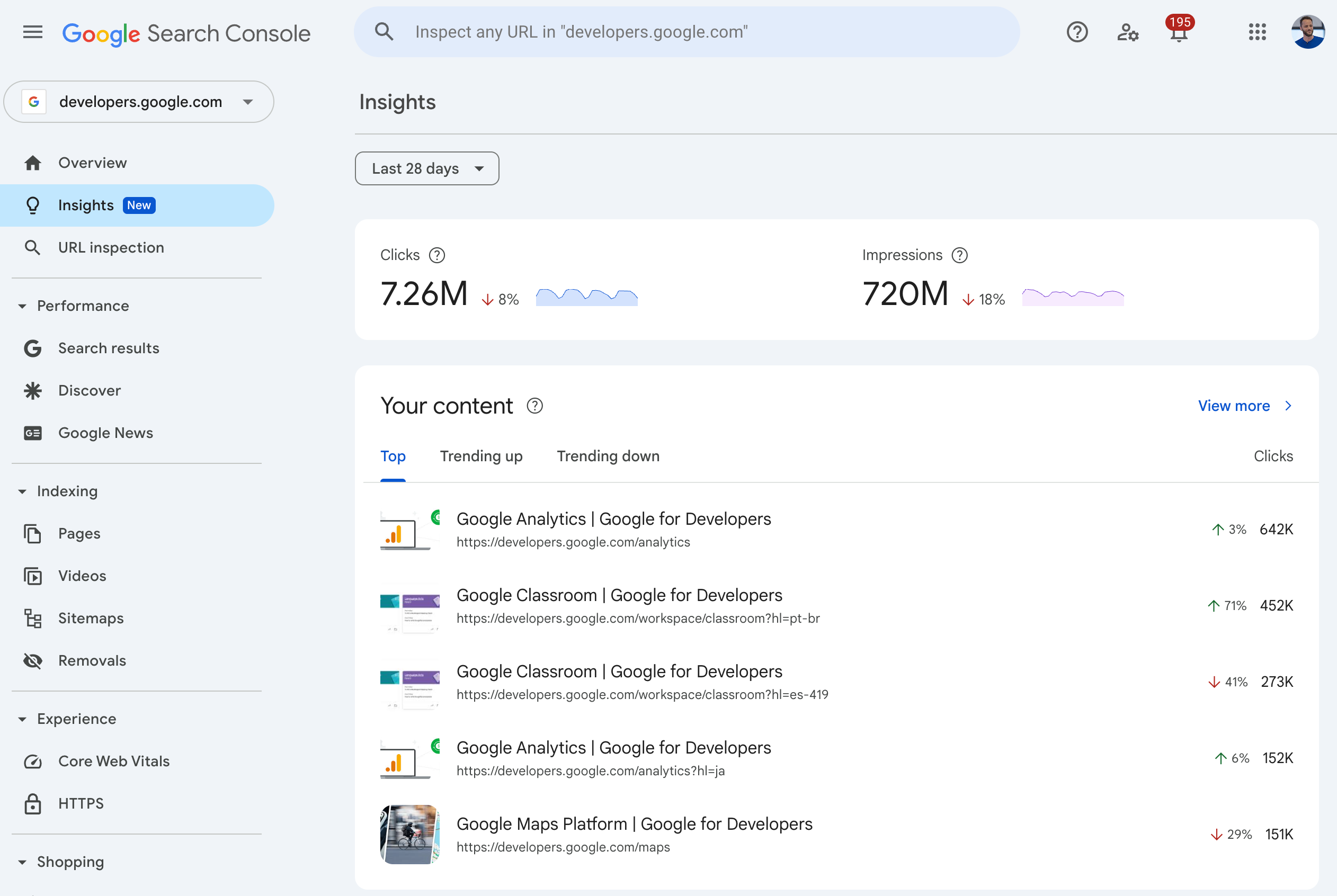
This English-language Google interface example was published on 30 June 2025. It shows the URL inspection bar and menu sections; it is not the result of an inspection of a particular site. Source and explanation from Google.
If you have a specific reason to suspect a manual action or a security issue, check the relevant Search Console reports. Treat it as the cause of the decline only if a report shows an issue affecting your site.
Do not blame an algorithm update based on timing alone
If the decline coincided with a Google update, that is a reason to examine the data, not proof of cause. Demand, your own site, competing pages or data processing may also have changed. First identify which queries, URLs and search types lost performance; then investigate the possible explanations.
If you are specifically assessing a possible connection with a confirmed Google core update, follow Google’s guidance: wait for the rollout to finish, then wait at least a full week and compare the week you analyse with the week before the update began. This guidance applies to investigating a possible connection with a core update, not to every traffic decline. It does not prove that the update caused a change on your site. Google’s guidance on core updates.
Record what you found before choosing an action
Write down what changed, which reports and pages you checked, what remains unknown and what action the evidence supports. For example:
| Observation | Check | Next step |
|---|---|---|
| A group of URLs lost impressions and clicks | Queries, crawling and indexing access, URL changes and templates | Fix a confirmed issue affecting those pages and monitor the same metrics |
| Impressions held steady, but clicks fell | CTR and how the pages appear for affected queries | Change the title, description or content if the review finds a mismatch with the query |
| Impressions fell for seasonal queries | Query trends over similar periods and in Google Trends | Assess the change in demand before revising pages |
| The decline began after a release or migration | Changed URLs, redirects, server responses and relevant Search Console reports | Give your developer the affected URLs and the specific symptom you confirmed |
Before changing the site, make sure you have identified the affected pages and queries, chosen periods that answer a clear question and checked recent site changes. Keep possible causes separate from confirmed observations. Average position can provide context, but Google advises against treating it as the sole measure of performance.
Do not rewrite the whole site because a line on a chart has fallen. If your initial checks do not reveal the cause, an SEO audit can help review search visibility and technical factors systematically. For broader guidance, read how to measure SEO results. If URL Inspection shows Crawled – currently not indexed for a particular page, follow the separate guide to that Search Console status.
Share this article